
Grayscale#
Tip
Learn more: https://en.wikipedia.org/wiki/Grayscale
Functions#
- kornia.color.rgb_to_grayscale(image, rgb_weights=None)[source]#
Convert a RGB image to grayscale version of image.

The image data is assumed to be in the range of (0, 1).
- Convention:
RGB is channel-first at axis -3 and the result has one channel. Default weights are ITU-R BT.601 luma weights (0.299, 0.587, 0.114) in RGB order.
Warning
Explicit
rgb_weightsexpect a floating image: they are cast to the image’s dtype, so on an integer image float weights truncate to zero and integer weights wrap. With the default weights a uint8 image is converted exactly, bit for bit ascv2.cvtColor(img, cv2.COLOR_RGB2GRAY)does.- Parameters:
- Return type:
- Returns:
grayscale version of the image with shape \((*,1,H,W)\).
Note
See a working example here.
Example
>>> input = torch.rand(2, 3, 4, 5)
>>> gray = rgb_to_grayscale(input) # 2x1x4x5
- kornia.color.bgr_to_grayscale(image)[source]#
Convert a BGR image to grayscale.
The image data is assumed to be in the range of (0, 1). First flips to RGB, then converts.
- Convention:
BGR is channel-first at axis -3. This uses the RGB luma weights after reversing channel order.
- Parameters:
image (
Tensor) – BGR image to be converted to grayscale with shape \((*,3,H,W)\).- Return type:
- Returns:
grayscale version of the image with shape \((*,1,H,W)\).
Example
>>> input = torch.rand(2, 3, 4, 5)
>>> gray = bgr_to_grayscale(input) # 2x1x4x5
- kornia.color.grayscale_to_rgb(image)[source]#
Convert a grayscale image to RGB version of image.
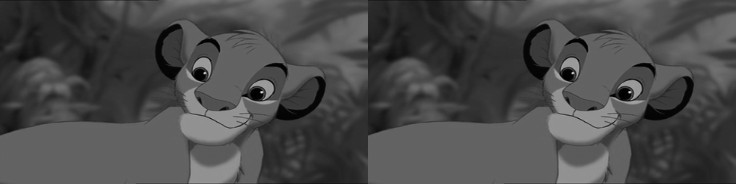
The image data is assumed to be in the range of (0, 1).
- Convention:
The singleton channel at axis -3 is repeated into R, G and B. Leading dimensions are preserved.
- Parameters:
image (
Tensor) – grayscale image torch.Tensor to be converted to RGB with shape \((*,1,H,W)\).- Return type:
- Returns:
RGB version of the image with shape \((*,3,H,W)\).
Example
>>> input = torch.randn(2, 1, 4, 5)
>>> gray = grayscale_to_rgb(input) # 2x3x4x5
Modules#
- class kornia.color.RgbToGrayscale(rgb_weights=None)[source]#
nn.Module to convert a RGB image to grayscale version of image.
See the Convention block on
rgb_to_grayscale().The image data is assumed to be in the range of (0, 1).
- Shape:
image: \((*, 3, H, W)\)
output: \((*, 1, H, W)\)
- reference:
https://docs.opencv.org/4.0.1/de/d25/imgproc_color_conversions.html
Example
>>> input = torch.rand(2, 3, 4, 5)
>>> gray = RgbToGrayscale()
>>> output = gray(input)  # 2x1x4x5
- class kornia.color.BgrToGrayscale(*args, **kwargs)[source]#
nn.Module to convert a BGR image to grayscale version of image.
See the Convention block on
bgr_to_grayscale().The image data is assumed to be in the range of (0, 1). First flips to RGB, then converts.
- Shape:
image: \((*, 3, H, W)\)
output: \((*, 1, H, W)\)
- reference:
https://docs.opencv.org/4.0.1/de/d25/imgproc_color_conversions.html
Example
>>> input = torch.rand(2, 3, 4, 5)
>>> gray = BgrToGrayscale()
>>> output = gray(input)  # 2x1x4x5
- class kornia.color.GrayscaleToRgb(*args, **kwargs)[source]#
nn.Module to convert a grayscale image to RGB version of image.
See the Convention block on
grayscale_to_rgb().The image data is assumed to be in the range of (0, 1).
- Shape:
image: \((*, 1, H, W)\)
output: \((*, 3, H, W)\)
- reference:
https://docs.opencv.org/4.0.1/de/d25/imgproc_color_conversions.html
Example
>>> input = torch.rand(2, 1, 4, 5)
>>> rgb = GrayscaleToRgb()
>>> output = rgb(input)  # 2x3x4x5